Blog Post
June 29, 2026
The AI Stack We Actually Use: 4 Tools Every Public Affairs Team Should Master
AI tools are changing how fast and effectively public affairs and communications teams operate. But buying more AI tools is rarely the answer. The real advantage comes from building a small AI stack where each tool has a clear role and supports a well-designed workflow.
AI tools are changing how fast and effectively public affairs and communications teams operate. But buying more AI tools is rarely the answer. The real advantage comes from building a small AI stack where each tool has a clear role and supports a well-designed workflow.
In our trainings, we help teams identify the right combination of tools based on their day-to-day work, then build practical systems around them. The result isn't just faster work. It's better research, stronger writing, more consistent outputs and greater confidence that AI is being used safely.
Why you need systems before tools
Picture your public affairs team facing overnight legislative changes, relentless media timelines and stakeholders who expect accurate, evidence-based advice. AI can dramatically improve your productivity, but only if the underlying processes are already in place.
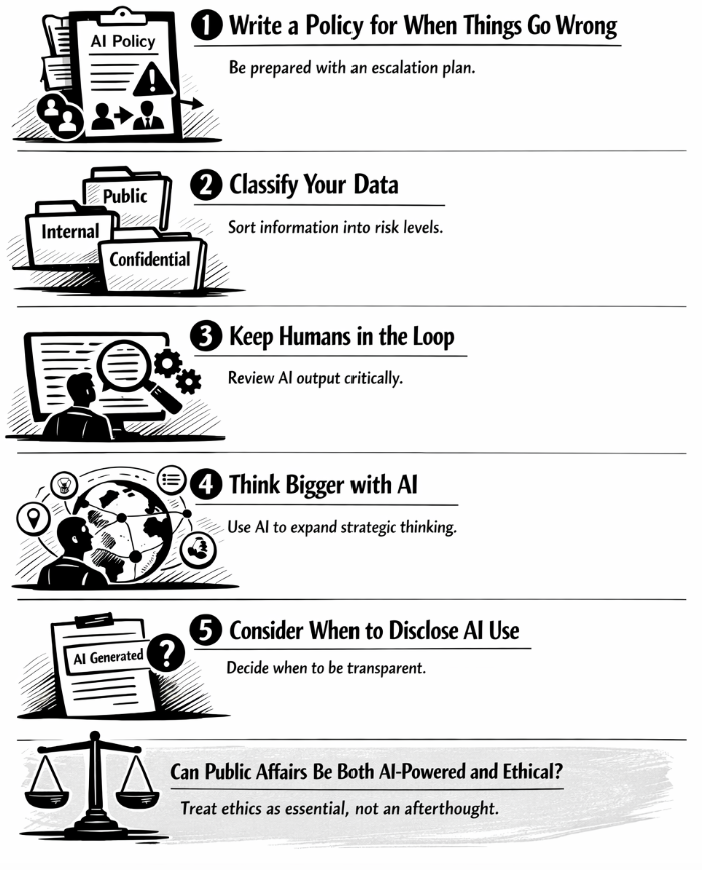
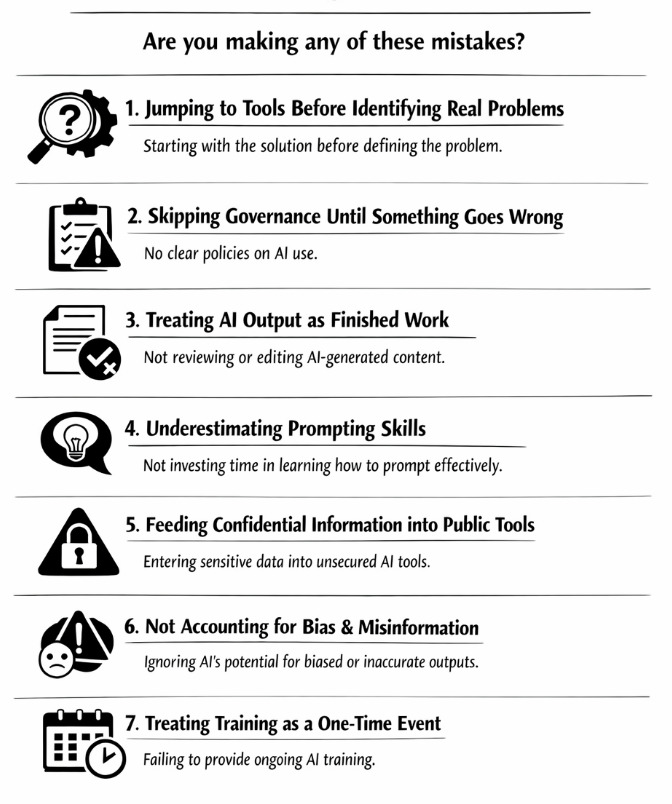
Before introducing any tool, define who reviews AI outputs, what quality standards they need to meet, which information can safely be shared with AI and when human judgement should override AI recommendations. Without these systems, even the best AI tools create inconsistent outputs and unnecessary rework.
The teams we work with achieve the best results because they optimise their workflows before adding new technology. AI then amplifies good processes rather than compensating for poor ones.
Check out our full list of AI tools here.
1. ChatGPT for building reusable AI assistants
Most people use ChatGPT as a chatbot. We recommend using it as a permanent member of your team.
Rather than starting every conversation from scratch, create Projects or Custom GPTs that already understand your organisation, policy priorities, messaging framework, preferred tone of voice and common deliverables. This allows ChatGPT to produce far more consistent outputs while significantly reducing prompting time.
We've seen teams build dedicated assistants for stakeholder mapping, legislative monitoring, briefing preparation, media interview preparation and internal knowledge management.
Try this prompt:
"Using our stakeholder mapping methodology, identify the five organisations most likely to influence this proposal over the next six months. Score each stakeholder by influence, interest and accessibility, explain your reasoning and recommend one engagement action for each."
You can then improve the result by asking:
"Challenge your own analysis. Which stakeholders have I overlooked? What assumptions could be wrong?"
This type of structured self-critique often produces significantly stronger outputs than accepting the first answer.
2. Perplexity for research, monitoring and policy intelligence
Perplexity has become our preferred research tool because it combines high-quality online search with transparent citations and powerful reasoning models.
Rather than using it for isolated questions, we recommend building ongoing research threads around your priority policy files. Perplexity remembers previous conversations, making it much easier to monitor developments over weeks or months.
Its Deep Research capabilities are particularly valuable for preparing comprehensive briefings, while scheduled searches help teams automatically monitor topics that matter to them. Another advantage is the ability to choose different reasoning models, including Claude and GPT, depending on the complexity of the task.
Try this prompt:
"Prepare a comprehensive briefing on the implementation of the AI Act across France, Germany and Italy. Focus on developments from the last 30 days, compare national approaches, identify key stakeholders, summarise political reactions and provide links to all original sources."
Many participants in our workshops reduce research time dramatically by using Perplexity as an ongoing intelligence platform rather than simply a search engine.
3. Claude for reports, position papers and complex writing
Claude consistently produces some of the strongest long-form writing available today. It excels at transforming rough ideas into well-structured reports, consultation responses, speeches and position papers that read naturally and require relatively little editing.
Its large context window allows it to analyse lengthy legislation, multiple consultation documents or extensive meeting notes while maintaining coherence throughout the conversation. Claude also supports Connectors, allowing teams to work directly with documents stored in platforms such as Google Drive, reducing the need to repeatedly upload files.
Try this prompt:
"Review these three consultation responses, identify the strongest common arguments, highlight inconsistencies and draft a unified position paper using a balanced EU policy tone. Then peer review your own work by identifying weaknesses, missing evidence and possible counterarguments."
One of our favourite techniques is asking Claude to become its own reviewer before finalising any important document. This simple step often improves quality considerably.
4. Manus for website intelligence and AI visibility
Manus is one of the most interesting tools we've discovered recently because it goes well beyond traditional website analysis.
Instead of simply reviewing web pages, Manus can analyse an entire website, identify missing content, compare competitors, evaluate information architecture and recommend improvements that increase both search engine performance and visibility in AI-generated answers.
As more people search using AI assistants rather than traditional search engines, understanding how your organisation appears in AI-generated responses is becoming increasingly important.
Try this prompt:
"Audit our website against five leading public affairs consultancies. Identify missing topics, weak pages, opportunities to improve SEO and AI visibility, and recommend twenty new content ideas ranked by expected impact."
We have found this particularly valuable when helping organisations improve their thought leadership and ensure their expertise is more visible both to search engines and AI platforms.
Check out our full list of AI tools here.
Which tool should you use?
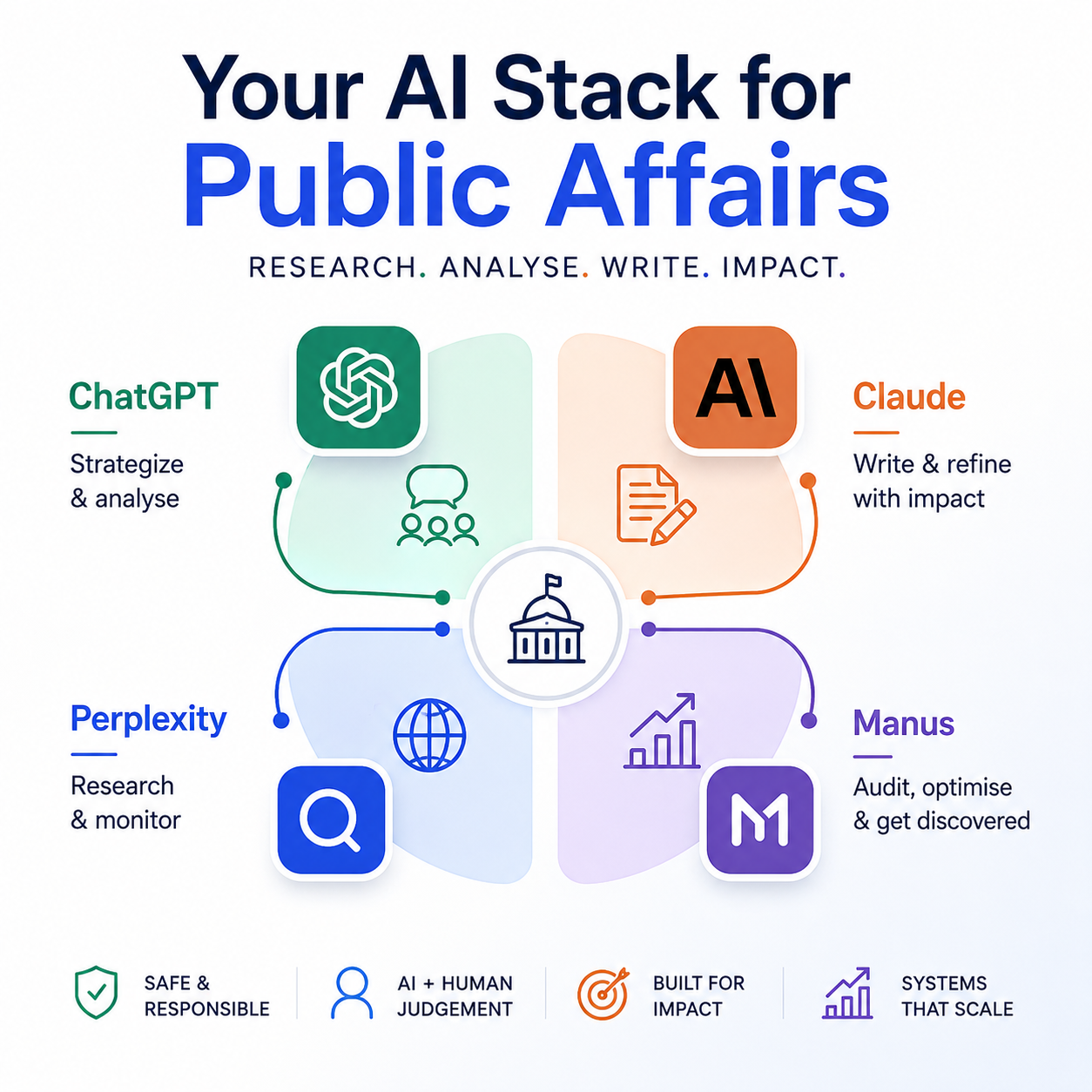
Each tool has its strengths. Rather than expecting one platform to do everything, assign each tool a clear role within your AI workflow.
ChatGPT
Best for strategic thinking, stakeholder mapping, brainstorming, reusable AI assistants (Custom GPTs) and preparing presentations or workshops.
Perplexity
Best for legislative research, policy monitoring, fact-checking, news tracking, Deep Research and building ongoing intelligence on key policy files.
Claude
Best for writing position papers, consultation responses, speeches, reports and other long-form documents that require clear structure and a natural writing style.
Manus
Best for website audits, competitor analysis, content strategy, SEO improvements and increasing your organisation's visibility in AI-generated search results.
The four tools complement each other. We often research a topic in Perplexity, analyse and structure our thinking in ChatGPT, write the final document in Claude and use Manus to identify future content opportunities and improve how our expertise is discovered online.
Use these tools safely in sensitive work
Public affairs professionals often handle confidential information, so responsible AI use is essential.
Avoid uploading confidential documents, internal strategies or commercially sensitive information unless your organisation has approved the platform for that purpose. Where possible, work with publicly available information or anonymised content.
It's also good practice to disable data training where the platform allows it, ensuring your prompts are not used to improve future models.
Finally, never treat AI as the final decision-maker. Ask it to challenge its own reasoning by using prompts such as:
- "What are your blind spots?"
- "What would a fair counterargument look like?"
- "What evidence contradicts this conclusion?"
- "What assumptions are you making?"
These questions help reduce errors, expose hidden assumptions and improve the quality of AI-generated work.
Build a small AI stack, not a large one
Most organisations don't need dozens of AI tools. In fact, the highest-performing teams we work with typically rely on just three or four platforms, each with a clearly defined purpose.
Our own core stack combines Perplexity for research, Claude for long-form writing, ChatGPT for strategic thinking and reusable assistants, and Manus for website intelligence and AI visibility.
Master a small number of tools, build repeatable workflows around them and expand only when a genuine need emerges. The biggest productivity gains come from using a few tools exceptionally well, not from constantly chasing the latest release.
If your team would like to build practical AI workflows tailored to public affairs or communications, we offer hands-on workshops designed to help professionals become not only more efficient, but also more effective in their everyday work.